How to schedule music
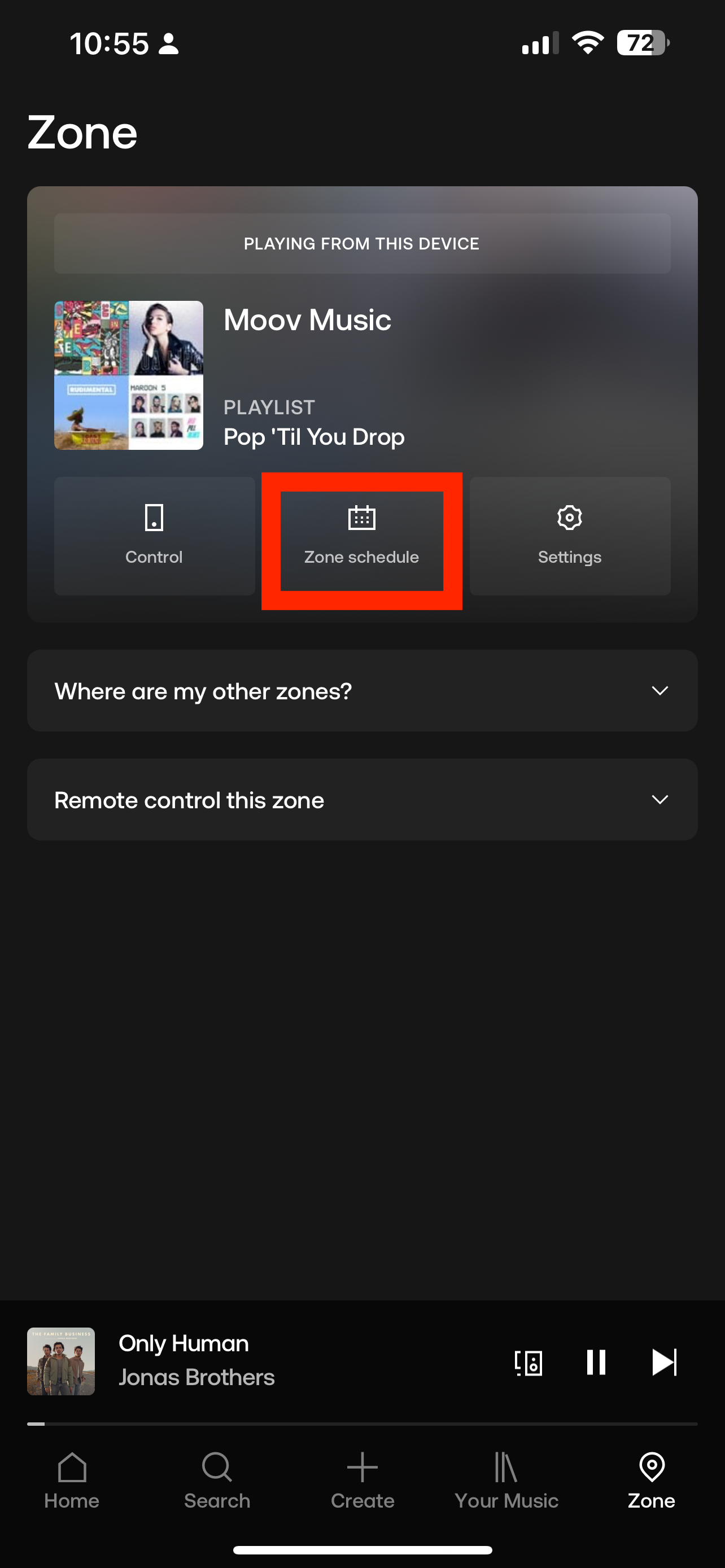
1. Within the Soundtrack app, click Zone on the taskbar at the bottom on the screen
2. Tap Zone Schedule
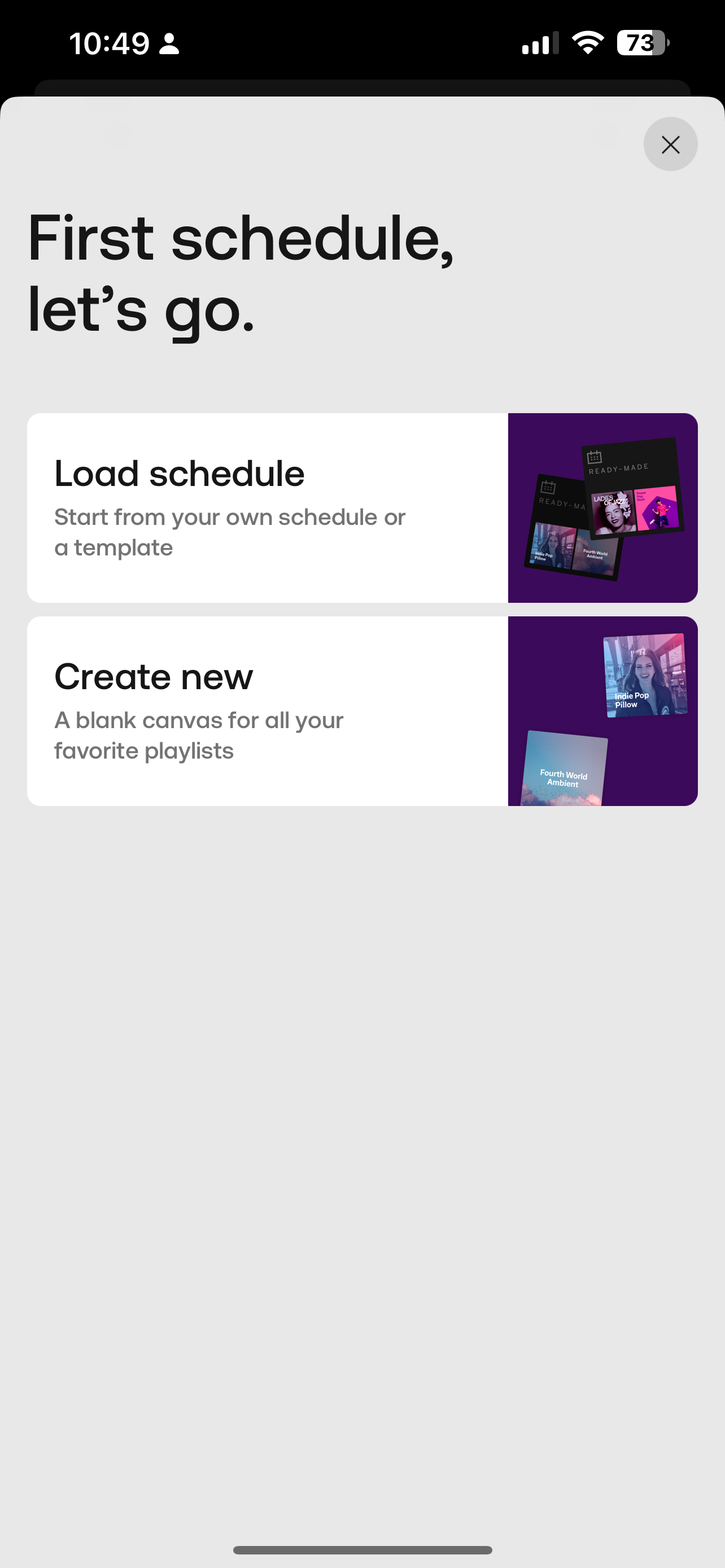
3. Select from one of the options:
Load Schedule - This option will give you a list of ready-made schedules based on your industry
Create New - This option provides a blank canvas for you to build out your customised schedule
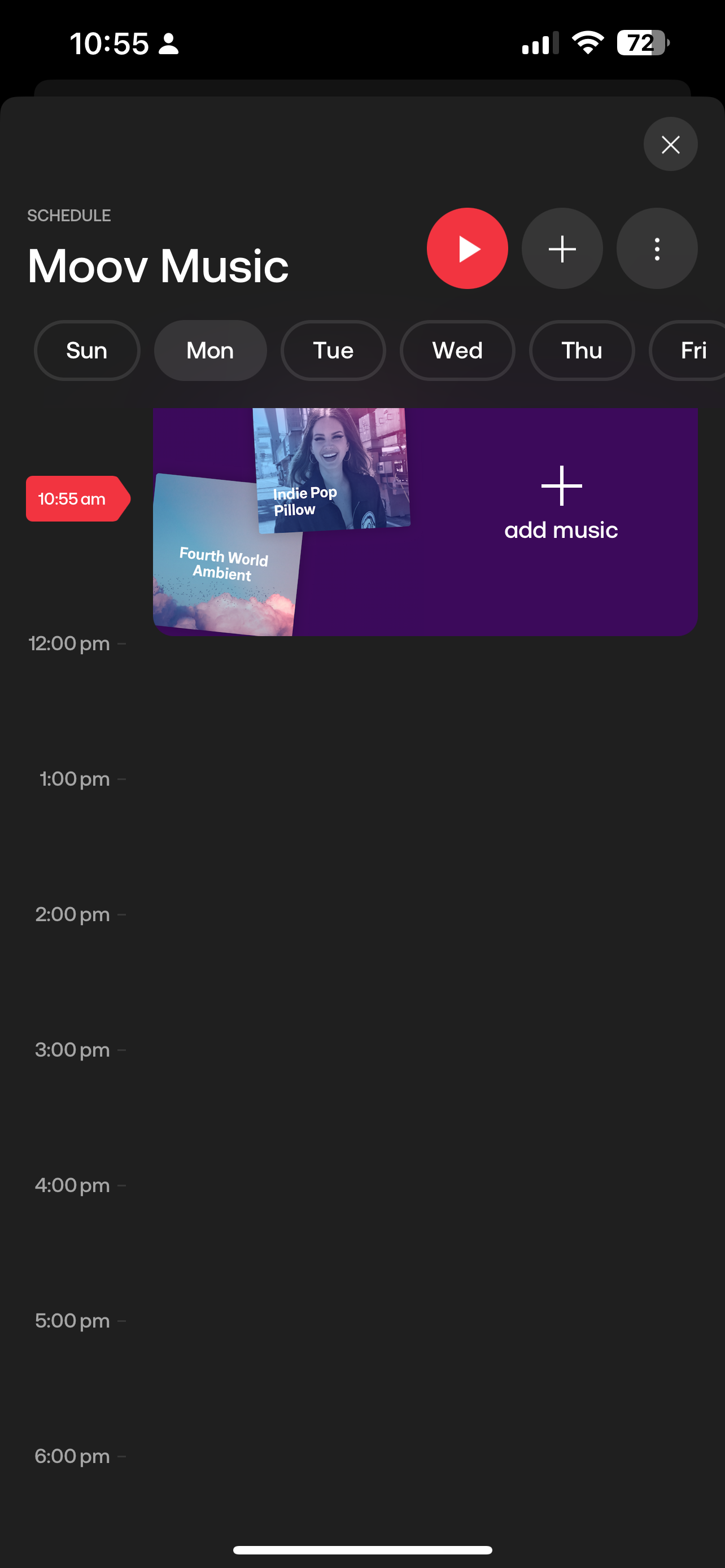
4. If you choose to build your own, you have the ability to select a time-slot and add 1 or more playlists together.
Select the Day & Time, To & From time slot and tap SAVE
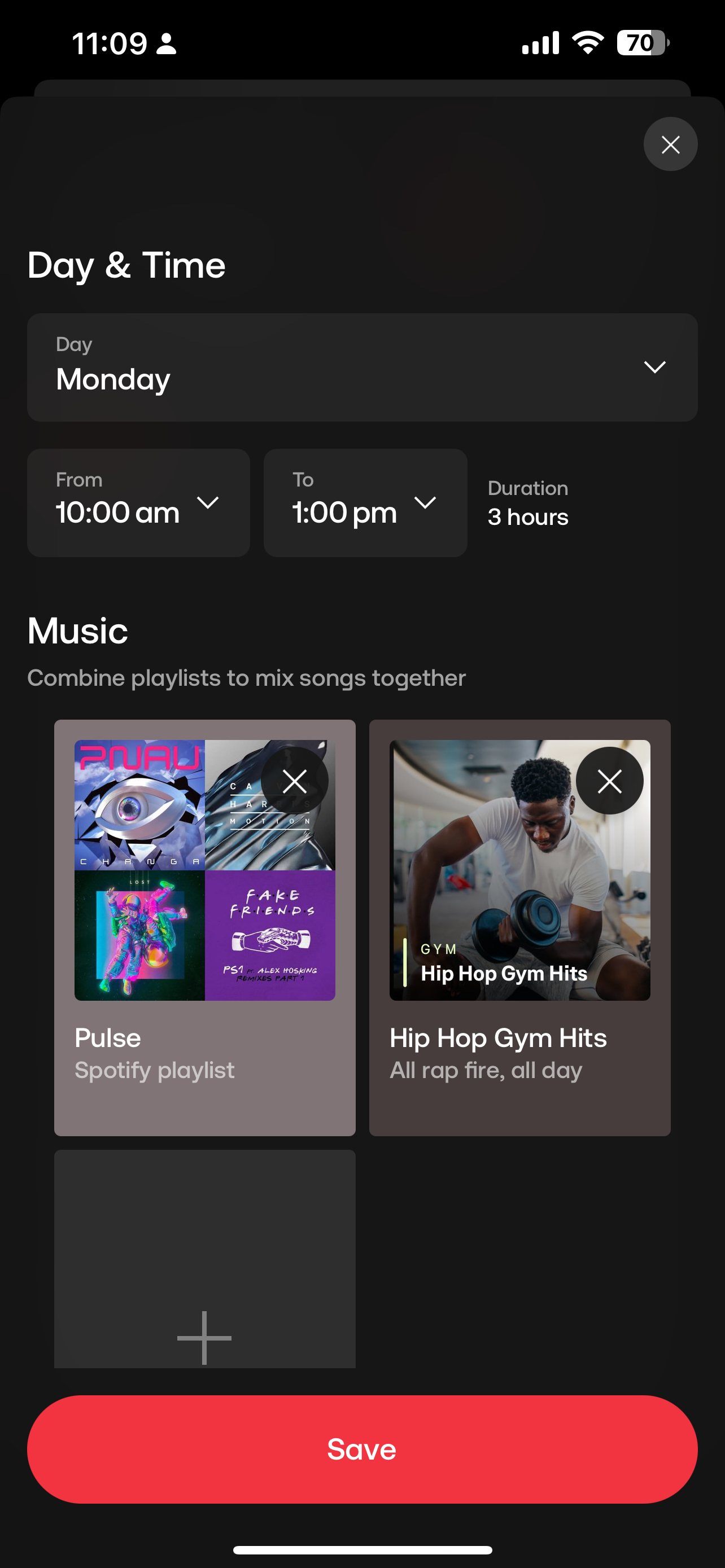

Select the Day & Time, To & From time slot and tap SAVE
5. Scheduled playlists will appear in the timeline, to make edits simply tap on the time slot and make necessary changes.
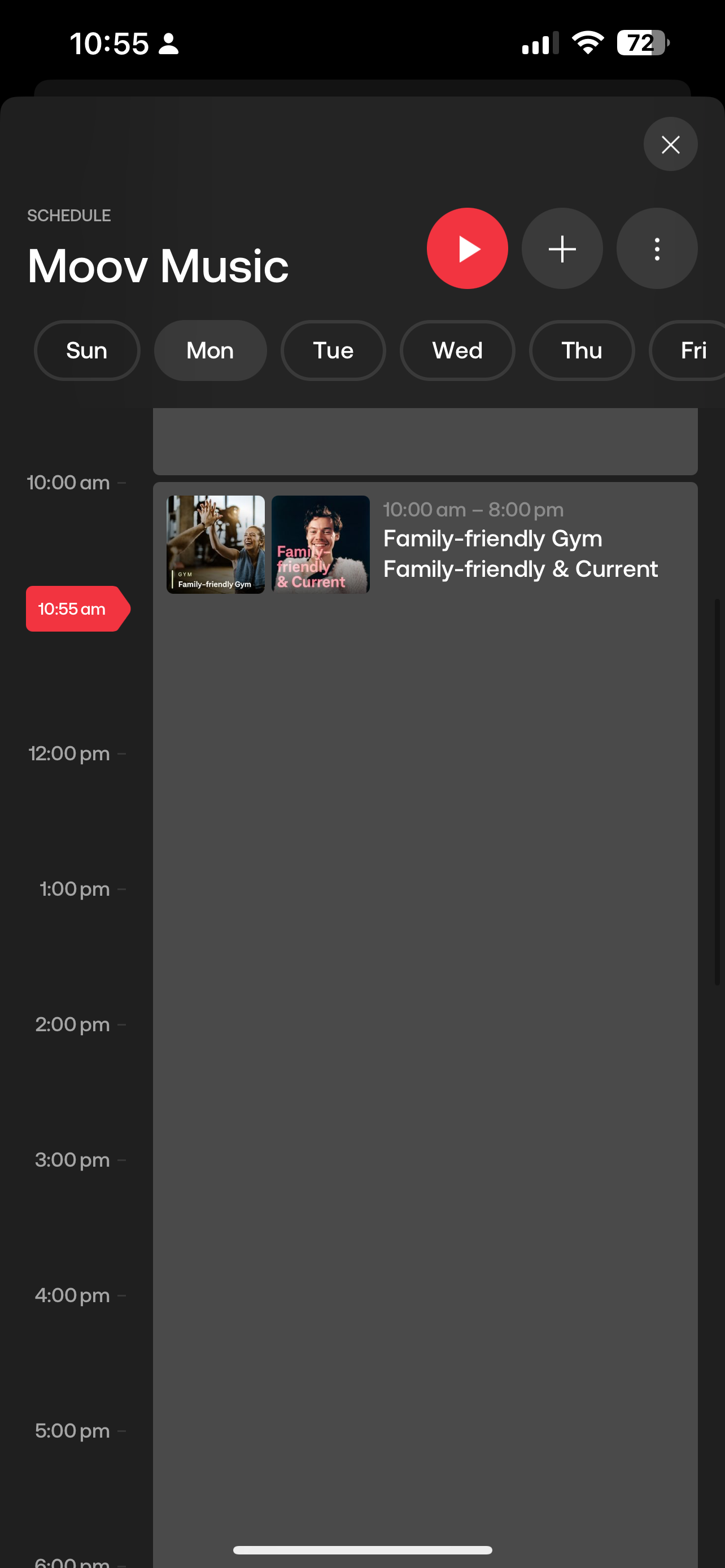
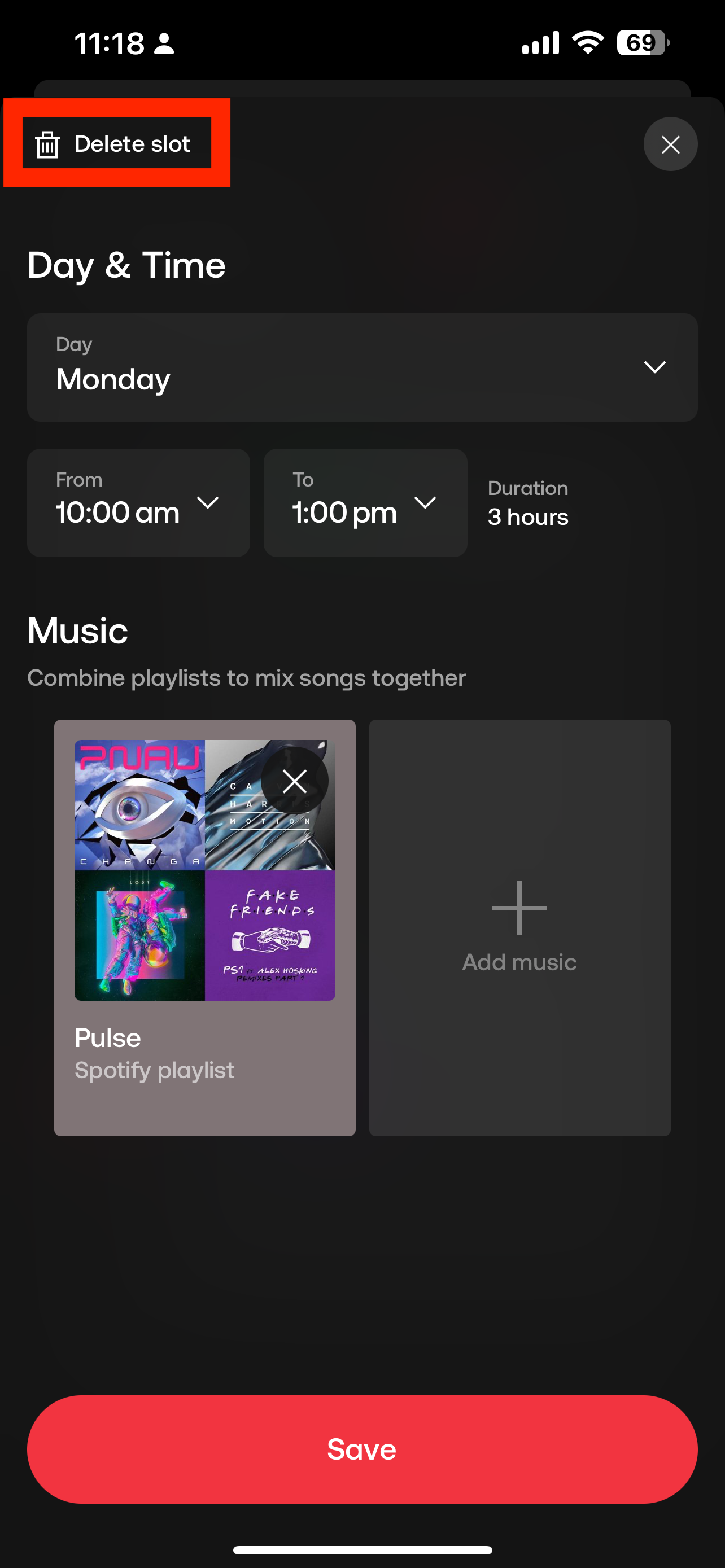
6. To remove the time slot, tap on the playlist and tap Delete Slot in the top left hand corner
PLEASE NOTE: You must ensure the schedule is set up over a 24 hour period (unless you want to schedule silence). If a schedule is set to finish at 5pm, the current song will finish playing and then the player will be silent until the next scheduled time slot.